
How to Start a YouTube Channel in 2026: Step-by-Step for Beginners
Learn step-by-step how to start a YouTube channel on a budget. Gear, microphones, lighting, editing tools, and tips for beginners included!
5/8/202416 min read
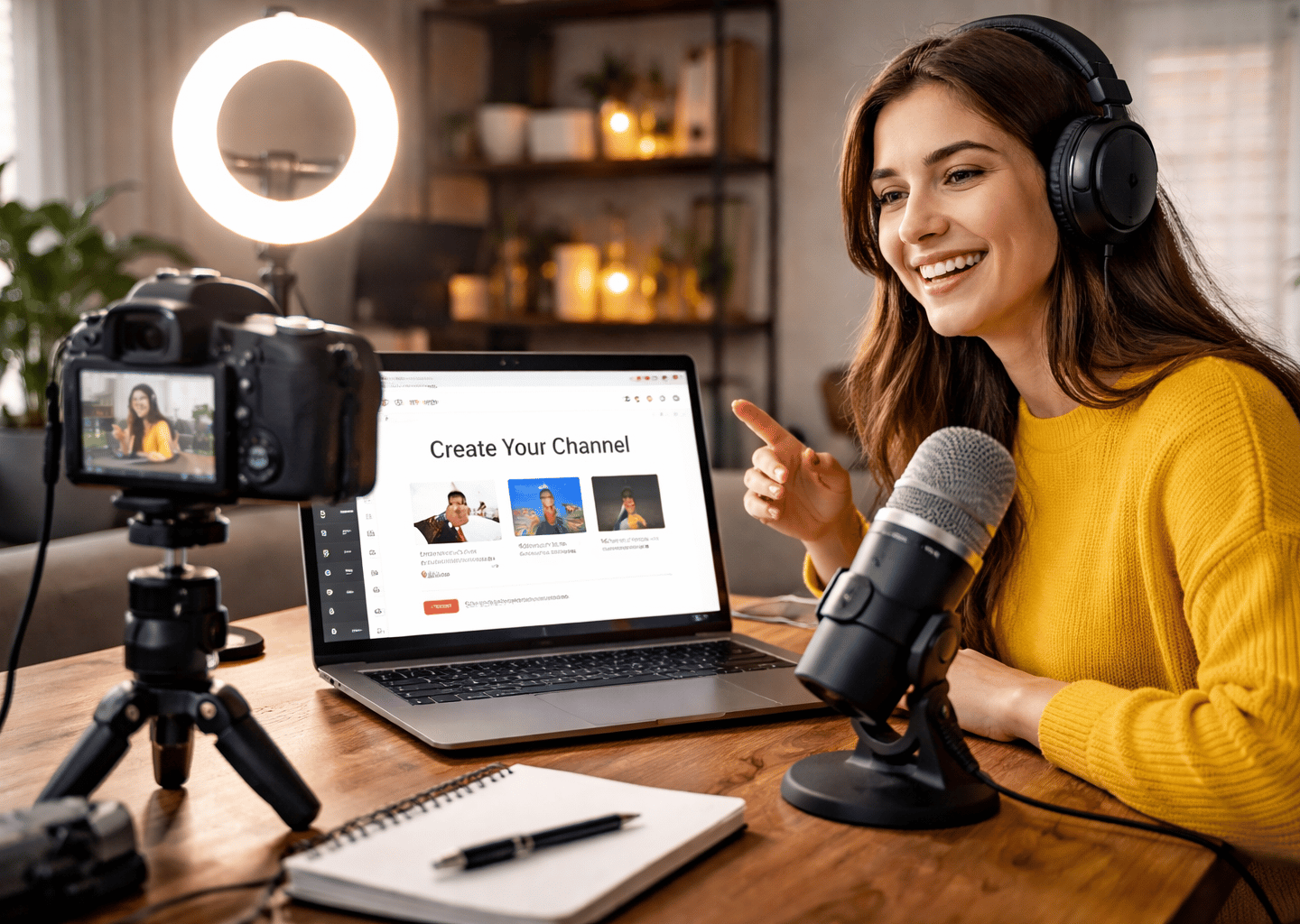
How to Start a YouTube Channel in 2026: Step-by-Step Guide for Beginners
Starting a YouTube channel in 2026 is easier than ever — and you don’t need a huge budget to get started. Whether you want to share your passions, teach a skill, or earn money online, this guide will walk you through everything beginners need to know to start a YouTube channel: from planning and equipment to editing, growth strategies, and staying motivated along the way.
By the end, you’ll have a full roadmap to launch, maintain, and grow your channel with budget-friendly gear and practical strategies.
Step 1: Define Your Channel & Audience
Before buying gear or filming your first video, take time to clearly define what your YouTube channel is about and who it’s for. This step is often skipped, but it’s one of the most important foundations for long-term growth. A focused channel is easier to grow, easier to plan content for, and more attractive to subscribers.
When viewers understand your channel quickly, they’re more likely to subscribe and come back.
Key Actions:
Choose a niche
Focus on a topic you enjoy and have some interest or experience in. You don’t need to be an expert, but you should be willing to learn and improve over time. Popular beginner-friendly niches include gaming, lifestyle, tutorials, cooking, finance, DIY, education, tech reviews, and personal development.
Avoid trying to cover too many topics at once. A narrow focus helps YouTube understand who to show your videos to and helps viewers know what to expect from your channel.
Define your audience
Ask yourself who your videos are meant for. Are your viewers beginners or more advanced? Teens, adults, hobbyists, or professionals? Someone watching casually or looking to learn a skill?
Knowing your audience influences:
Video length
How detailed your explanations should be
Your tone and speaking style
Thumbnails and titles
The clearer your audience, the easier it is to create content that resonates.
Plan your content
Before publishing, outline your first few videos. Create a simple content plan for your first 4–6 videos. These should introduce your topic, answer common beginner questions, or solve simple problems your audience has.
Planning ahead reduces stress, helps you stay consistent, and prevents creator burnout early on.
Set realistic goals
Instead of focusing on going viral, set achievable goals. Decide how often you can realistically post — for example, one or two videos per week. Set early milestones like uploading your first video, reaching 10 subscribers, then 50, then 100.
Progress builds momentum, and consistency matters more than perfection when starting out.
Step 2: Essential Equipment
You don’t need expensive equipment to start a YouTube channel — the right budget-friendly tools make your videos look professional. We've curated a list just for you:
Laptop:
Acer Nitro V – Budget-friendly laptop for editing videos
Cameras:
You can use what you already have - the camera on your phone
Logitech Brio 101 – beginner-friendly, compact, good-quality webcam
Microphones:
Mini Mic Pro – wireless and clips to clothing for clear on-camera audio
Razer BlackShark V2 X – wireless headset with microphone with noise
cancellation
Headset:
OneOdio Studio Monitor Headphones – wired and great for recording in
hi-resolution
Lighting:
Cyezcor LED Video Light – affordable, will clip onto your laptop
NiceVeedi Video Light Kit – pair of studio lights with phone mount
Tripod:
Liphisy 64" Tripod – adjustable and stable for cameras or phones
Accessories / Extras:
Aokeo Pop Filter – reduces pops and improves audio clarity
Aiolo Innovative 500GB External Hard Drive – extra storage for video files
JEBUTUT Green Screen Backdrop Kit with Stand – professional backdrop screen
Educational Note: Start small. Prioritize clear audio — viewers tolerate grainy video more than poor sound.
Step 3: Editing Software
Editing is where your videos come together. Good editing improves clarity, keeps viewers engaged, and makes your content feel more professional — even if you’re just starting out. The good news is you don’t need expensive software to create high-quality YouTube videos.
The best editing software for beginners is easy to use, reliable, and fits your budget.
Key Actions:
Start simple
If you’re new to editing, choose software with a clean interface and basic tools. You’ll want to be able to:
Cut and trim clips
Add text or titles
Adjust audio levels
Export videos in high quality
Avoid overly complex programs at first. Simple editing allows you to focus on content instead of getting overwhelmed by features you don’t need yet.
Choose software based on your device
Different programs work better on different systems:
Beginners (Free): iMovie (Mac), Windows Clipchamp or Shotcut
Beginner to Intermediate: Filmora or CapCut
Advanced / Long-term growth: Adobe Premiere Pro or DaVinci Resolve
If you plan to upgrade later, starting with software that has room to grow can save time learning new tools.
Focus on clean edits
At the beginning, your goal isn’t flashy effects — it’s clarity. Focus on:
Removing long pauses or mistakes
Keeping the pacing smooth
Making sure audio is clear and consistent
Clean, easy-to-watch videos perform better than over-edited ones.
Learn a few core skills first
You don’t need to master everything. Focus on a few basics:
Cutting and trimming footage
Adding simple transitions
Adjusting audio volume
Exporting in the correct YouTube format
These skills alone are enough to publish professional-looking videos.
Create a repeatable workflow
Using the same editing process every time saves hours. Create a simple routine:
Import footage
Trim mistakes
Adjust audio
Add intro/outro
Export and upload
A repeatable workflow helps you stay consistent and motivated.
Editing gets easier with practice. Don’t wait to be “good” at editing before uploading — your skills will improve naturally with every video.
Step 4: Set Up Your Filming Space & Start Recording
You don’t need a studio to start a YouTube channel, but your filming setup does matter. A clean, well-lit space with clear audio makes your videos easier to watch and keeps viewers engaged longer. This step is about creating a simple, repeatable setup that works in real life.
Key Actions:
Choose a quiet, consistent location
Pick a place where you can record regularly with minimal interruptions. This could be a bedroom, office, garage, or corner of your home. Try to avoid areas with background noise like traffic, appliances, or people walking through.
Recording in the same spot each time helps with:
Faster setup
Consistent video quality
Building a recognizable look for your channel
Pay attention to lighting
Lighting matters more than camera quality. Natural light works great for beginners. Face a window if possible, and avoid having light directly behind you, which causes shadows.
If natural light isn’t reliable, use a basic ring light or soft light to evenly light your face. Good lighting makes your video look cleaner, more professional, and more inviting to viewers.
Position your camera correctly
Place your camera or phone at eye level. This creates a natural connection with viewers and looks more professional than shooting from above or below.
Make sure:
Your face is centered or slightly off-center
Your head isn’t cut off
The background is tidy and not distracting
Clean up your background
Your background doesn’t need to be fancy, but it should be intentional. A plain wall, bookshelf, desk setup, or simple decor works well. Avoid clutter, laundry, or messy areas that pull attention away from you.
As your channel grows, you can improve your background with better lighting or subtle decorations.
Test audio before recording
Clear audio is critical. Before recording full videos, do a short test clip to check:
Volume levels
Background noise
Echo or distortion
If your audio is hard to hear or distracting, viewers are more likely to leave — even if your content is good.
Do a short test recording
Before filming your full video, record 30–60 seconds and watch it back. Check:
Lighting and shadows
Camera framing
Audio clarity
Overall comfort on camera
This small step saves time and prevents frustration later.
Don’t aim for perfection
Your first YouTube videos won’t be perfect — and that’s okay. Focus on being clear, authentic, and consistent. Confidence improves naturally as you record more videos.
Most successful YouTubers look back at their first videos and cringe — but they started anyway.
Create a repeatable setup
Once you find a setup that works, stick with it. Use the same camera position, lighting, and space each time. This reduces setup time and keeps your content consistent.
Starting a YouTube channel isn’t about having the best setup — it’s about starting with what you have and improving over time. The sooner you begin recording, the faster you learn and grow.
Step 5: Branding Your YouTube Channel
Branding is how viewers recognize, remember, and trust your channel. Good branding makes your content feel intentional and professional, even if you’re just starting out. Bad branding creates confusion and slows growth — no matter how good your videos are.
Branding is not about being flashy. It’s about being clear, consistent, and recognizable.
Key Branding Elements That Matter
Channel name (keep it simple and searchable)
What works:
Short, easy-to-spell names
Names that hint at what the channel is about
Names that are easy to remember
What doesn’t work:
Long names with numbers, underscores, or random words
Names that don’t match your content
Inside jokes or clever names no one understands
Hard truth: if people can’t remember or spell your channel name, they won’t search for it.
Profile picture (clarity over creativity)
What works:
A clear photo of your face with good lighting
High contrast between you and the background
Simple, clean framing
What doesn’t work:
Busy graphics
Tiny text
Group photos
Low-quality or dark images
Hard fact: YouTube channels with clear faces in profile photos tend to build trust faster, especially for beginner and educational content.
Banner design (tell viewers what you do in 3 seconds)
Your banner should answer one question immediately:
“Why should I subscribe?”
What works:
A short, clear value statement (what viewers will learn or get)
Consistent colors and fonts
Simple visuals
What doesn’t work:
Too much text
Overdesigned graphics
Generic phrases like “Welcome to my channel”
Viewers decide whether to subscribe in seconds. Your banner should help, not distract.
Color palette & fonts (consistency beats creativity)
Choose:
1–2 main colors
1 accent color
1–2 fonts
Use them everywhere: thumbnails, banner, descriptions, and social media.
What works:
High contrast colors (easy to read on mobile)
Bold, simple fonts
What doesn’t work:
Changing styles every video
Fancy fonts that are hard to read
Too many colors
Hard fact: most YouTube video views are on mobile. If it’s not readable on a phone, it doesn’t work.
Thumbnail Branding (This Matters More Than You Think)
Thumbnails are branding. They should look like they come from the same channel, even before someone reads the title.
What works:
Large faces or clear focal points
2–4 big, readable words max
Consistent layout and colors
What doesn’t work:
Small text
Too many words
Random styles from video to video
Hard truth: great content with bad thumbnails will not get clicked.
Tone & Messaging (Your Invisible Brand)
Your voice matters:
Are you educational, casual, serious, or motivational?
Do you explain things simply or dive deep?
What works:
Speaking clearly and confidently
Staying consistent with tone
Being yourself, but intentional
What doesn’t work:
Copying another creator’s personality
Switching styles every video
Trying to appeal to everyone
Viewers subscribe to people, not just topics.
Branding Mistakes Beginners Make when Starting a Youtube Channel
Rebranding too often
Overthinking logos before posting videos
Chasing trends instead of clarity
Trying to look “big” instead of being useful
Hard fact: branding improves as your channel grows. It does not need to be perfect at launch.
The Goal of Branding
The goal isn’t perfection. The goal is this:
When someone sees your thumbnail, profile photo, or channel page, they should instantly understand:
Who the channel is for
What the channel offers
Whether it’s worth subscribing
Clear branding builds trust. Trust builds subscribers. Subscribers build a channel.
Step 6: Monetization & Growth
Monetizing a YouTube channel takes time. Most channels do not make money right away, and that’s normal. The creators who succeed focus first on growth and trust, then layer monetization in smart ways as their audience builds.
The goal early on is not to “get rich,” but to build momentum.
Understand the Reality of YouTube Monetization
YouTube Channel Ad Revenue (AdSense)
To earn ad revenue, you must qualify for the YouTube Partner Program:
1,000 subscribers
4,000 public watch hours in the last 12 months or 10 million Shorts views in 90 days
Hard facts:
Many beginners take 6–18 months to qualify
Ad revenue alone is often low at first
Some niches pay more than others
AdSense is a bonus — not a business plan.
Affiliate Marketing (Best Early Monetization)
Affiliate marketing is one of the most realistic ways to make money early.
What works:
Recommending products you actually use
Linking gear, tools, or software in descriptions
Creating tutorials or “how-to” content
Examples:
Camera, microphone, and editing software links
Tools or equipment used in a business
Courses, apps, or services
Hard truth:
Random product links don’t convert
Trust matters more than clicks
If your video solves a problem and your link helps solve it faster, affiliate income follows.
Selling Your Own Products or Services
Once you have an audience, your own offers often outperform ads.
Examples:
Coaching or consulting
Digital guides or checklists
Courses
Freelance services
Hard fact:
Small audiences can still generate income
A loyal audience of 1,000 can outperform 50,000 casual viewers
Value beats volume.
Sponsorships (Later-Stage Income)
Brands usually look for:
Consistent uploads
Clear niche and audience
Professional presentation
Realistic expectations:
Most sponsorships come after 5,000–10,000 subscribers
Rates vary widely by niche and engagement
Engagement matters more than subscriber count
Don’t chase sponsors too early. Focus on audience first.
Growth Strategies That Actually Work
Consistency beats frequency
Posting once a week consistently beats posting daily and burning out.
Titles and thumbnails drive growth
If people don’t click, the video doesn’t grow — no matter how good it is.
Retention matters more than views
Keeping viewers watching longer tells YouTube your content is valuable.
Improve one thing per video
Better lighting, clearer audio, stronger hooks — small improvements compound.
What Slows Growth
Chasing trends with no connection to your niche
Constantly changing topics
Overpromising in titles
Quitting too early
Hard truth:
Most channels fail not because they’re bad — but because they stop posting.
Staying Motivated Long-Term
Track progress monthly, not daily
Focus on skills gained, not just views
Treat your channel like a long-term project
Remember: every successful creator started at zero
Growth on YouTube is rarely fast, but it is predictable with consistency and clarity.
Final Reality Check
If you:
Pick a clear niche
Publish helpful content
Improve a little each video
Monetize responsibly
YouTube can become a real income stream, not just a hobby.
Step 7: Staying Motivated & Maintaining Your YouTube Channel
Starting a YouTube channel is exciting. Maintaining one is where most people struggle. Motivation will fade, views will fluctuate, and growth will feel slow at times. This step is about building systems that keep your channel alive even when motivation is low.
Success on YouTube is less about inspiration and more about showing up consistently.
Expect the Motivation Drop (It’s Normal)
Almost every creator experiences:
Low views on early videos
Slow subscriber growth
Videos that perform worse than expected
Hard truth:
Early videos often get under 100 views
The algorithm doesn’t “reward” new channels instantly
Growth is uneven — not linear
This is not failure. This is the normal phase before traction.
Build Systems, Not Just Willpower
Relying on motivation alone leads to burnout. Systems create momentum.
What works:
Batch filming multiple videos at once
Scheduling uploads ahead of time
Using repeatable video formats
Examples:
Same intro structure every video
Similar video length
Reusable templates for thumbnails and descriptions
Systems reduce friction and make posting easier.
Set Process Goals Instead of Outcome Goals
Outcome goals (views, subscribers) are unpredictable early on.
Better goals:
Upload once per week for 90 days
Improve audio quality by video #5
Test one new title style per week
These goals are controllable and keep progress visible.
Track Progress the Right Way
Avoid checking analytics daily — it creates unnecessary stress.
What to monitor:
Monthly subscriber growth
Average view duration
Which topics perform best
Ignore:
One-day view spikes
Comparing yourself to large creators
Your competition is your last video, nothing else.
Learn to Maintain, Not Just Create
A YouTube channel needs upkeep:
Updating old descriptions and links
Replacing weak thumbnails
Pinning better comments
Removing outdated information
Hard fact:
Updating old videos can boost growth faster than posting new ones
Maintenance compounds over time
Think of your channel like a digital asset.
Prevent Burnout Early
Burnout kills more channels than bad content.
What causes burnout:
Posting too often
Overediting
Perfectionism
What prevents it:
Sustainable upload schedules
“Good enough” videos
Taking planned breaks
Consistency beats intensity every time.
Reconnect With Your “Why”
When motivation dips, revisit why you started:
Income goals
Creative expression
Teaching others
Building a long-term brand
Write this down and revisit it during slow periods.
Channels that survive the quiet phase usually succeed later.
Use Feedback, Not Validation
Early comments may be rare — that’s normal.
When feedback appears:
Look for repeated questions
Identify confusion points
Use comments as future content ideas
Engagement fuels direction, not self-worth.
Commit to a Minimum Time Horizon
Most successful creators commit to:
6–12 months minimum
50–100 videos before judging success
Quitting early guarantees failure. Staying consistent keeps the door open.
Final Perspective
YouTube is not about being perfect. It’s about being reliable, improving, and patient.
If you:
Build simple systems
Keep expectations realistic
Focus on steady improvement
You dramatically increase your odds of success.
Step 8: Why Most YouTube Channels Fail and How to Avoid it
Most YouTube channels don’t fail because the creator isn’t talented. They fail because expectations don’t match reality, and small mistakes compound over time.
Understanding why YouTube channels fail helps you avoid the traps that stop most beginners.
1. Unrealistic Expectations
Many creators expect fast results:
Hundreds of views per video
Monetization within a few months
Viral success early on
The reality:
Most channels grow slowly for the first 6–12 months
Early videos often perform poorly
Momentum builds after consistency, not before
When expectations aren’t met, motivation drops — and people quit.
2. Quitting Too Early
This is the biggest reason channels fail.
Common quitting points:
After 5–10 videos
After the first “bad” video
After a month of low views
Most successful channels didn’t take off until dozens of videos were published. Quitting early guarantees failure, regardless of potential.
3. No Clear Focus or Niche
Channels that cover “a little of everything” struggle to grow.
Problems with no niche:
Confuses the algorithm
Confuses viewers
No clear reason to subscribe
Successful channels answer one clear question:
“Why should someone subscribe to this YouTube channel?”
4. Inconsistent Uploading
Inconsistency kills momentum.
Common mistakes:
Uploading randomly
Long gaps between videos
Posting heavily, then disappearing
Consistency builds:
Viewer trust
Algorithm signals
Personal habits
It’s better to upload once a week for a year than five times one month and nothing the next.
5. Over-Perfectionism
Trying to make every video perfect slows progress.
Signs of perfectionism:
Spending hours editing small details
Re-recording endlessly
Never feeling “ready” to upload
YouTube rewards improvement over time — not perfection upfront.
6. Ignoring Thumbnails, Titles, and Descriptions
Great content doesn’t matter if no one clicks.
What fails:
Generic titles
Busy thumbnails
No SEO optimization
Click-through rate and watch time matter more than production quality early on.
7. Relying on Motivation Instead of Systems
Motivation fades. Systems don’t.
Channels fail when creators:
Wait until they “feel inspired”
Don’t plan content ahead
Have no upload routine
Simple systems keep channels alive during low-motivation phases.
8. Comparing to Large Creators
Comparison creates discouragement.
Large YouTube channels:
Have teams
Have years of content
Already trained the algorithm
Comparing a new channel to a 5-year-old one leads to burnout and quitting.
9. Not Learning From Analytics
Analytics aren’t just numbers — they’re feedback.
Failure happens when creators:
Ignore retention data
Repeat topics that don’t perform
Don’t test new formats
Growth comes from adjustment, not repetition.
10. Treating YouTube Like a Short-Term Project
YouTube is a long-term platform.
Channels fail when creators:
Expect quick income
Stop posting when monetization is slow
Don’t view content as an asset
The most successful creators treat YouTube like a business, not a hobby.
Final Reality Check
Most YouTube channels fail because creators stop.
If you:
Stay consistent
Keep expectations realistic
Focus on improvement
Commit long-term
You instantly outperform the majority of beginners.
Step 9: YouTube SEO & Discoverability
Creating great videos isn’t enough if no one can find them. YouTube SEO helps your videos appear in search results, suggested videos, and recommended feeds — especially important for new channels without an audience yet.
Think of YouTube as a search engine first, and a social platform second.
How YouTube SEO Actually Works (In Plain English)
YouTube’s algorithm looks at three main things:
Relevance – Does your video match what someone searched for?
Engagement – Do people click and keep watching?
Consistency – Does your channel regularly publish content on similar topics?
SEO helps with relevance. Good content and structure help with engagement.
Keyword Research for YouTube (Beginner Method)
You don’t need paid tools to start.
Use YouTube’s search bar:
Start typing a topic related to your video
Look at the autocomplete suggestions
These are real searches people are making
Example:
Typing “how to start a YouTube channel…” might show:
how to start a YouTube channel for beginners
how to start a YouTube channel with no money
Those phrases are strong keyword ideas.
Choose keywords that are:
Specific
Beginner-focused
Not dominated by massive channels
Longer phrases = easier to rank early.
Writing SEO-Friendly Titles (Without Clickbait)
Your title should:
Include your main keyword
Clearly explain the value
Sound natural, not stuffed with keywords
Good example:
How to Start a YouTube Channel in 2026 (Beginner Step-by-Step Guide)
Avoid:
Vague titles
Overly clever wording
Misleading clickbait
Your goal is clarity first, curiosity second.
Optimizing Your Video Description
Descriptions help YouTube understand your video.
Best practices:
Put your main keyword in the first 1–2 sentences
Write 2–4 short paragraphs explaining the video
Include related keywords naturally
Add chapters/timestamps if possible
Descriptions aren’t just filler — they’re searchable text.
Tags: What Matters and What Doesn’t
Tags matter less than they used to, but they still help with:
Misspellings
Related terms
Clarifying your topic
Use:
Your main keyword
Close variations
Your channel name
Don’t overthink tags — focus more on titles and thumbnails.
Thumbnails and SEO Work Together
SEO gets your video shown. Thumbnails get it clicked.
If people don’t click:
YouTube stops recommending the video
Rankings drop
Your thumbnail should:
Match the title
Be easy to read on a phone
Create curiosity without lying
SEO without clicks won’t work.
Watch Time & Retention (The Hidden SEO Factor)
YouTube favors videos people actually watch.
Improve retention by:
Hooking viewers in the first 5–10 seconds
Avoiding long intros
Delivering value quickly
Staying on topic
Higher retention = more impressions = better rankings.
Use Playlists to Boost Discoverability
Playlists help YouTube understand your content structure.
Create playlists like:
“YouTube for Beginners”
“Make Money Online Basics”
“Starting Side Hustles”
Playlists:
Increase watch time
Keep viewers on your channel longer
Help related videos get recommended
Consistency Helps SEO More Than You Think
Posting similar content regularly tells YouTube:
What your channel is about
Who to show your videos to
Jumping between unrelated topics slows growth.
Common SEO Mistakes Beginners Make
Avoid:
Keyword stuffing
Misleading titles
Ignoring thumbnails
Uploading without descriptions
Changing niches constantly
SEO is about clarity, not tricks.
Final SEO Reality Check
YouTube SEO won’t make a bad video go viral — but it can help a good video get discovered.
If you:
Research keywords
Write clear titles
Optimize descriptions
Focus on retention
You give your channel a real chance to grow from zero.
Recommended Budget Gear for Starting a YouTube Channel
Some links may earn me a commission at no extra cost to you :)
Laptop:
Acer Nitro V – Budget-friendly laptop for editing videos
Cameras:
You can use what you already have - the camera on your phone
Logitech Brio 101 – beginner-friendly, compact, good-quality webcam
Microphones:
Mini Mic Pro – wireless and clips to clothing for clear on-camera audio
Razer BlackShark V2 X – wireless headset with microphone with noise
cancellation
Headset:
OneOdio Studio Monitor Headphones – wired and great for recording in
hi-resolution
Lighting:
Cyezcor LED Video Light – affordable, will clip onto your laptop
NiceVeedi Video Light Kit – pair of studio lights with phone mount
Tripod:
Liphisy 64" Tripod – adjustable and stable for cameras or phones
Accessories / Extras:
Aokeo Pop Filter – reduces pops and improves audio clarity
Aiolo Innovative 500GB External Hard Drive – extra storage for video files
JEBUTUT Green Screen Backdrop Kit with Stand – professional backdrop screen
Final Thoughts: How to Start a YouTube Channel for Beginners
Starting a YouTube channel for beginners can feel overwhelming, but it’s simpler than most people think. You don’t need expensive cameras, perfect editing skills, or a huge following to get started. What matters most is clarity, consistency, and a willingness to learn. Every successful YouTube creator started with zero subscribers, zero views, and a lot of trial and error.
When you’re learning how to start a YouTube channel, focus first on building a strong foundation:
Define your niche – choose a topic you enjoy and can consistently create content around.
Understand your audience – know who your videos are for, their interests, and what problems you can solve.
Plan your content – create a content calendar for your first few videos to stay organized and consistent.
Growing a YouTube channel doesn’t happen overnight. It requires patience and persistence. Early videos may get few views, and motivation may dip — that’s normal. The creators who succeed are the ones who show up consistently, learn from analytics, and improve one step at a time. Every video you create is an opportunity to learn, experiment, and grow your skills.
YouTube rewards creators who:
Solve real problems or provide entertainment for a targeted audience
Use SEO best practices to make videos discoverable (titles, descriptions, and keywords)
Design eye-catching thumbnails that attract clicks
Maintain consistent posting schedules and a clear brand
Track performance using analytics and adjust content to improve retention
Remember, YouTube is a long-term platform. Channels that survive and thrive are the ones that treat content as a digital asset, not a one-off experiment. Early monetization may be slow, but building a channel lays the foundation for affiliate income, sponsorships, and even selling your own products down the line.
The best time to start a YouTube channel was years ago. The second-best time is right now. Start small, stay consistent, learn as you go, and focus on helping or entertaining your audience. Over time, your channel can grow into a sustainable platform, a source of income, and a portfolio of valuable skills.
Take the first step today — plan your channel, create your first video, and upload it. YouTube success comes from action, not hesitation. The sooner you start, the sooner you’ll see results.
Start today, use the gear above, and grab your free YouTube Starter Checklist by signing up for our newsletter!
How to Make Money for Beginners
Explore our sleek website template for seamless navigation.
Contact
sign up for our Newsletter!
info@howtomakemoneyforbeginners.com
© 2026. All rights reserved.
Terms & Conditions